How to Check Signal Strength on a Motorola Phone (and Fix No Signal)
If your Motorola phone shows no signal, first restart it — that often fixes the problem. Then use these steps to check airplane mode and mobile data, and see the exact signal strength in dBm to tell whether the problem is the network or the phone.
Check the signal icon
-
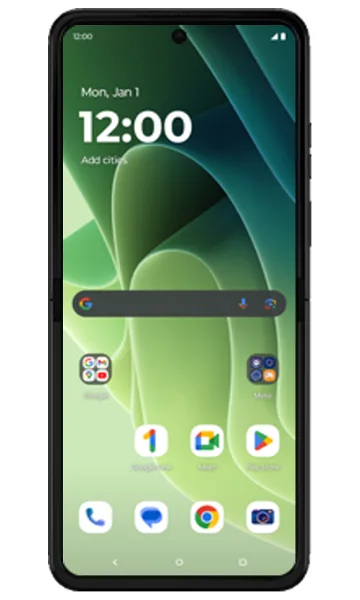 Step 1
Look at the signal bars
On the Home screen, the signal strength is shown at the top right, next to the battery icon. The fuller the triangle, the stronger the signal.
Check airplane mode and mobile data
-
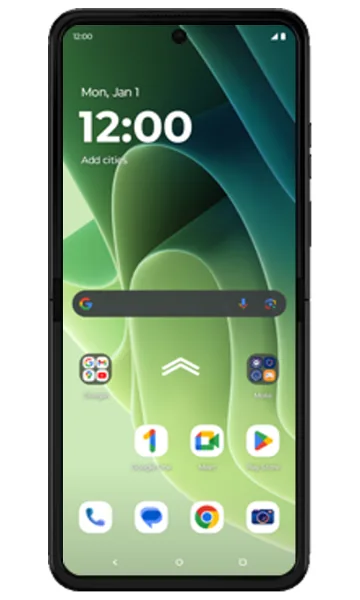 Step 1
Open the app drawer
Swipe up on the Home screen to open all apps.
-
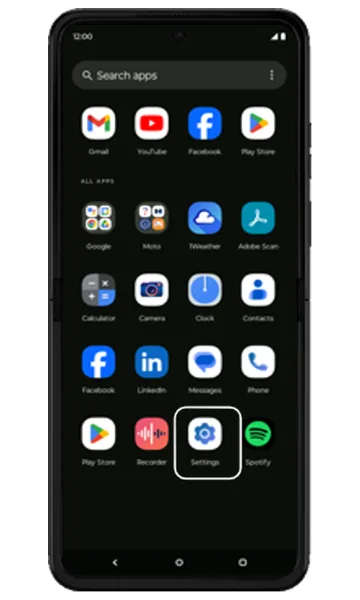 Step 2
Open Settings
Tap Settings.
-
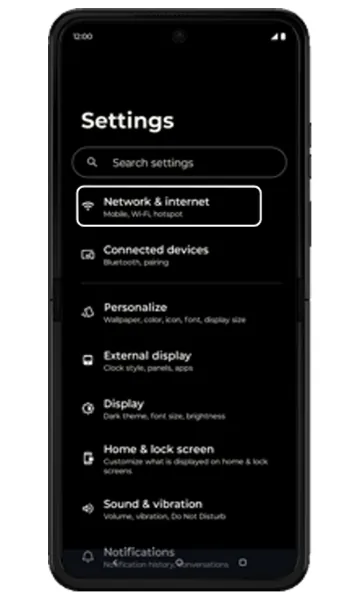 Step 3
Tap Network & internet
Tap Network & internet.
-
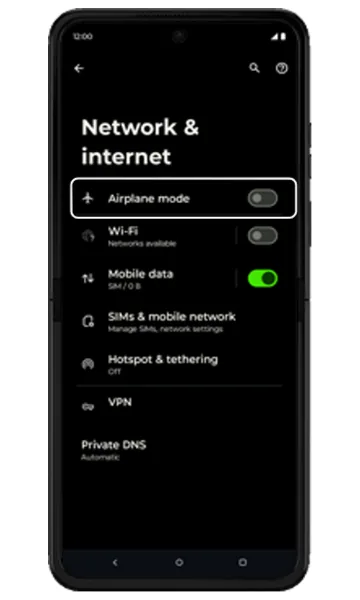 Step 4
Turn off Airplane mode
If Airplane mode is on, turn it off.
-
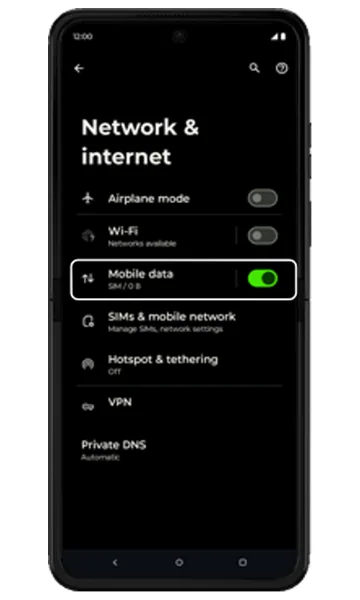 Step 5
Turn on Mobile data
If Mobile data is off, turn it on, then go back to Settings.
See the exact signal strength
-
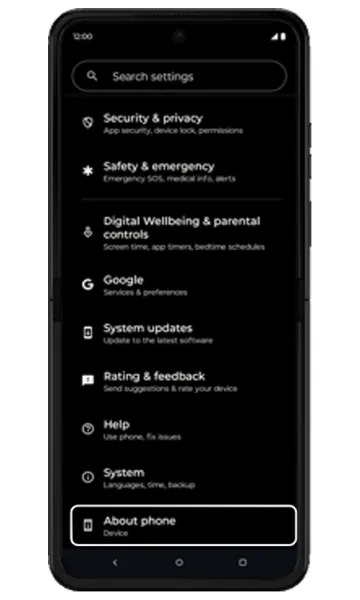 Step 1
Tap About phone
In Settings, scroll down and tap About phone.
-
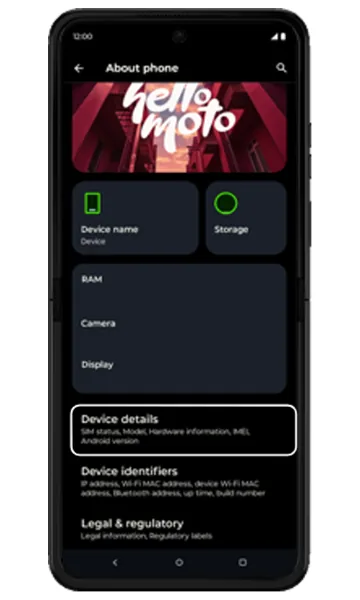 Step 2
Tap Device details
Scroll down and tap Device details.
-
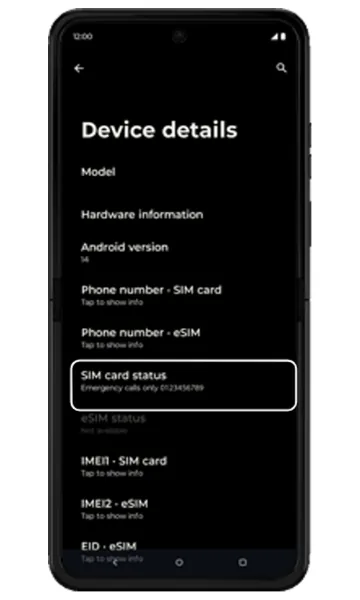 Step 3
Tap SIM card status
Tap SIM card status. On dual-SIM phones, choose the SIM you want to check.
-
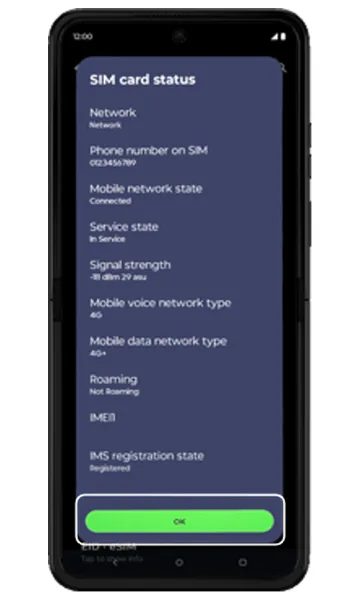 Step 4
Read the signal strength
Under Signal strength you’ll see the value in dBm and asu. A dBm value closer to zero (e.g. −80 dBm) and a higher asu value mean a stronger signal.
Still no signal?
- Restart the phone and remove and re-insert the SIM card.
- Check your APN settings — see our guide to configuring mobile internet (APN) for Jio, Airtel, Vi and BSNL.
- Reset network settings (Settings > System > Reset options).
- Check for a software update (Settings > System > System updates).
- Try your SIM in another phone. If it works there, the phone’s antenna or motherboard may need repair.
Frequently asked questions
What is a good signal strength in dBm?
For 4G/5G, roughly −80 dBm or better is excellent, −80 to −100 dBm is good to fair, and below −110 dBm is poor and may cause dropped calls or slow data.
Why does my Motorola phone say “No service”?
Common causes are airplane mode, a loose or damaged SIM, weak network coverage, wrong network settings or an expired plan. Try the steps above; if the SIM works in another phone, the fault is likely in your phone.
How much does it cost to fix a Motorola phone with no network?
If the antenna or network chip on the motherboard has failed, it usually means a motherboard replacement. See the Motorola motherboard price list on this site for official prices.
Still having problems? It may be a hardware fault. Check the Motorola spare part prices for your model, or compare battery and display replacement costs.
Related Motorola guides
- How to Reset Network Settings on a Motorola Phone
- Motorola APN Settings for Jio, Airtel, Vi and BSNL (Internet & MMS)
- How to Start a Motorola Phone in Safe Mode
- Is My Motorola Phone Hacked? How to Check and Remove Malware
- Motorola Battery Draining Fast? Settings to Make It Last Longer
Steps and screenshots based on Motorola's official Check signal strength tutorial. Steps can vary slightly by model and Android version.