How to Force Restart a Frozen Motorola Phone
If your Motorola phone freezes, shows a blank or black screen, or won’t respond to the Power button, a forced reboot (soft reset) usually brings it back. It doesn’t erase any data.
-
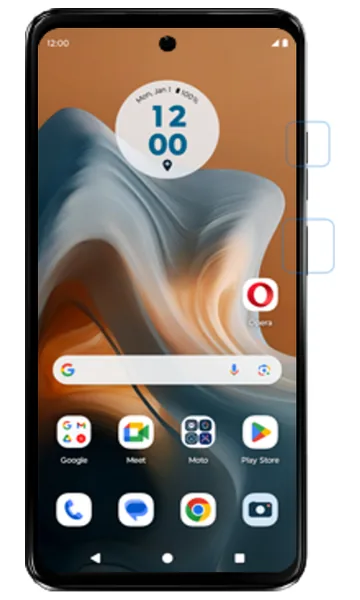 Step 1
Hold Power and Volume up
Press and hold the Power button and the Volume up button together until the screen turns off (this can take 10–20 seconds).
-
 Step 2
Let the phone restart
Release the buttons. The phone restarts automatically.
-
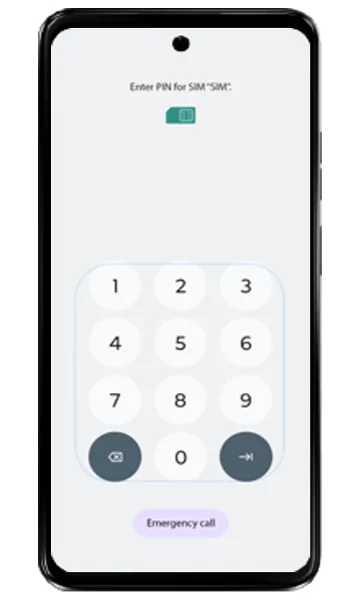 Step 3
Enter your SIM PIN if asked
If a PIN screen appears, enter your SIM PIN and tap the arrow at the bottom right. Otherwise, go to the next step.
-
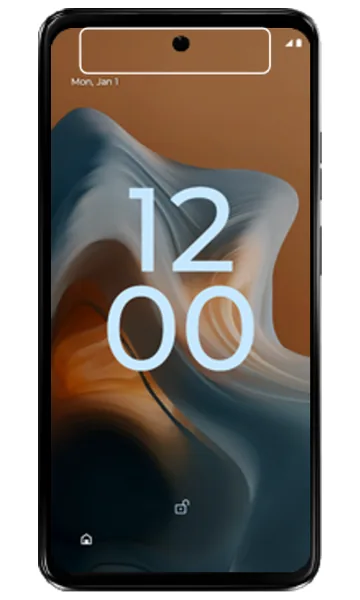 Step 4
Unlock the phone
If the lock screen appears, swipe up and unlock as usual.
-
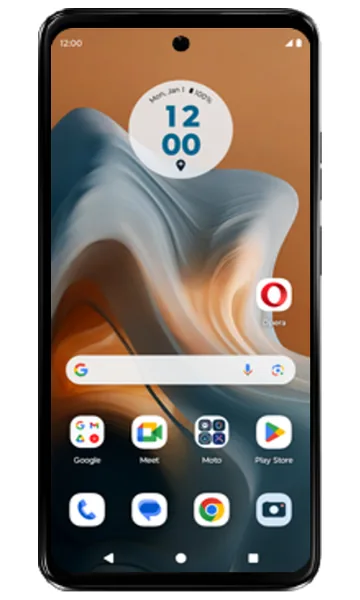 Step 5
You’re back on the Home screen
The phone has restarted. Your apps and data are unchanged.
If the phone is still frozen or won’t turn on
- Charge it for at least 30 minutes with the original charger, then try again.
- If it keeps freezing, start it in safe mode to check for a problem app.
- If it won’t start at all, you can factory reset it from recovery mode using the buttons — this erases all data.
- If nothing works, the battery, display or motherboard may be faulty — check repair prices for your model.
Frequently asked questions
Does a forced reboot delete my data?
No. A forced reboot just restarts the phone. Your apps, photos and settings are not affected.
My Motorola screen is black but the phone vibrates or rings — what should I do?
Try a forced reboot first. If calls still come in but the screen stays black, the display may be damaged and need replacing — see the Motorola display price list.
Still having problems? It may be a hardware fault. Check the Motorola spare part prices for your model, or compare battery and display replacement costs.
Related Motorola guides
- How to Start a Motorola Phone in Safe Mode
- Is My Motorola Phone Hacked? How to Check and Remove Malware
- How to Hard Reset a Motorola Phone Using the Buttons (Recovery Mode)
- Motorola Battery Draining Fast? Settings to Make It Last Longer
- How to Check Signal Strength on a Motorola Phone (and Fix No Signal)
Steps and screenshots based on Motorola's official Forced reboot tutorial. Steps can vary slightly by model and Android version.