How to Update the Software on a Motorola Phone
Motorola sends software updates to your phone automatically over the air when they become available. You can also check manually to make sure you have the latest Android version and security patch.
Before you update
- Connect to Wi-Fi — updates can be large.
- Charge the battery to at least 50% or keep the phone plugged in.
- Back up your phone, just in case.
-
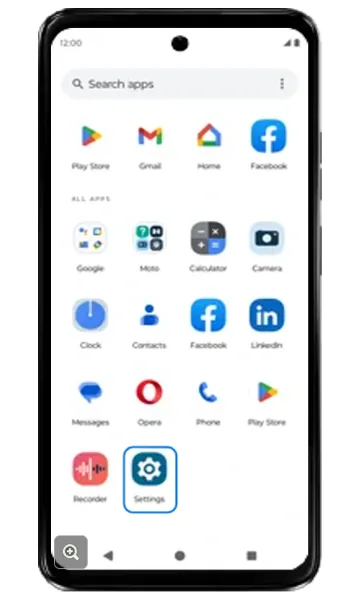 Step 1
Open Settings
Swipe up on the Home screen to open all apps, then tap Settings.
-
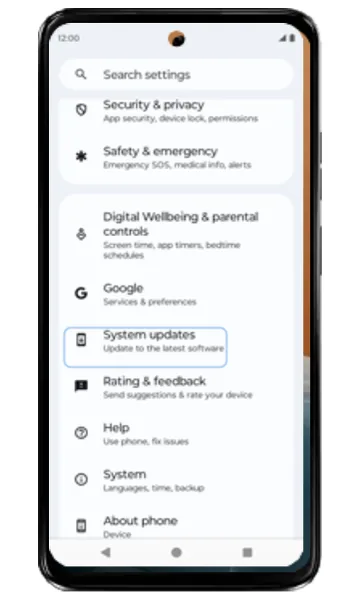 Step 2
Tap System updates
Scroll down and tap System updates (on some models, Settings > System > System updates).
-
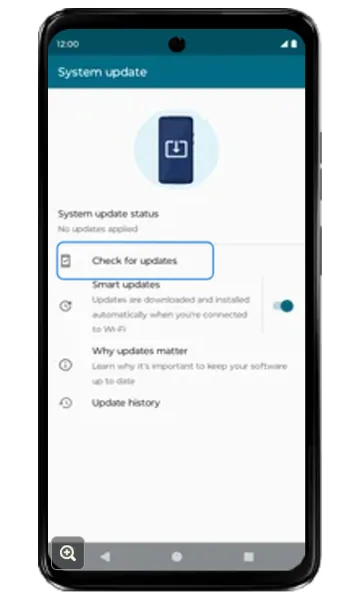 Step 3
Check for updates
Tap Check for updates. Optionally, turn off Smart updates if you don’t want updates downloaded and installed automatically.
-
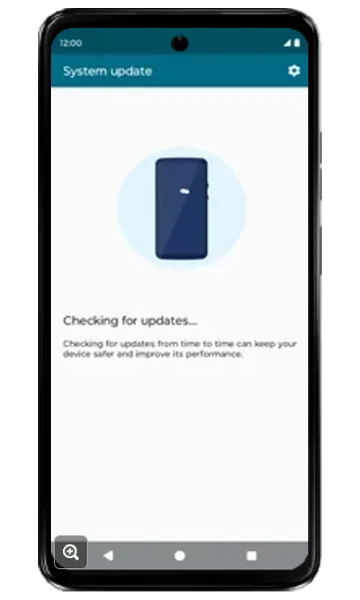 Step 4
Wait while it checks
The phone searches for available updates.
-
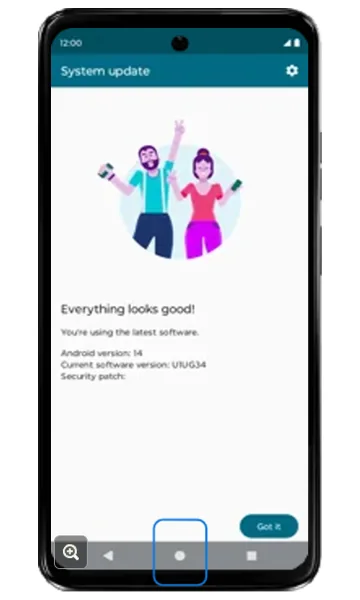 Step 5
Install or confirm you’re up to date
If you see “Everything looks good!”, you already have the latest software. If an update is available, follow the on-screen instructions to download and install it — the phone restarts when it’s done.
Frequently asked questions
How do I know which Android version my Motorola phone has?
Go to Settings > About phone > Android version. The System updates screen also shows the current software version and security patch level.
Will a software update delete my data?
No, a normal system update keeps your apps and data. It’s still a good idea to back up first.
My Motorola phone is stuck during an update — what should I do?
Leave it for at least 30 minutes on charge. If it’s still stuck, force restart it by holding Power and Volume up until it turns off.
Still having problems? It may be a hardware fault. Check the Motorola spare part prices for your model, or compare battery and display replacement costs.
Related Motorola guides
- Motorola Battery Draining Fast? Settings to Make It Last Longer
- How to Start a Motorola Phone in Safe Mode
- Is My Motorola Phone Hacked? How to Check and Remove Malware
- How to Check Signal Strength on a Motorola Phone (and Fix No Signal)
- How to Force Restart a Frozen Motorola Phone
Steps and screenshots based on Motorola's official Update device software tutorial. Steps can vary slightly by model and Android version.